This post was brought to you by Virginia Cooper from Learn a Living, a go-to resource for adult learners embarking on starting, continuing or finishing their education.
New entrepreneurs often discover that landing work is only half the battle; earning trust during professional client meetings is where deals are won or lost. The challenge is that a home office setup can quietly signal “temporary” or “distracted,” especially when the camera reveals clutter, harsh lighting or a cramped corner that doesn’t feel like a real business.
Virtual meeting spaces create their own pressure, because every call turns the workspace design for startups into part of the pitch. A credible, calm, intentional workspace makes conversations smoother and decisions easier.
Set Up a Client-Ready Home Office, Step by Step
This process helps you turn any room or corner into a reliable, client-ready workspace that looks good on camera and feels good to work in. It matters because small improvements in comfort, lighting and audio can make your meetings feel smoother and more professional – without a big budget.
- Map your layout for focus and a clean background
Start by choosing a spot where your webcam faces a simple, tidy backdrop, not a hallway, bed or kitchen traffic. Place your desk so you can sit upright with space to write, take notes and keep key items within reach. A clear layout reduces distractions for you and visual noise for the client. - Choose ergonomic essentials you can sustain daily
Pick a supportive chair and desk height that let your feet rest flat and your elbows bend comfortably while typing. Add small upgrades if needed, like a footrest, lumbar cushion or laptop stand, so long calls do not turn into fidgeting. Comfort translates into steadier eye contact and calmer communication. - Fix video lighting so your face reads clearly
Set your main light in front of you at about eye level, then soften it with a lampshade or diffuse it with a simple light source. A budget-friendly option is a ring light, which costs anywhere from $8 and can quickly reduce harsh shadows on camera. Good lighting helps clients read your expressions and stay engaged. - Standardize your virtual meeting tech setup
Confirm your internet stability, then set a default camera angle, microphone input and speaker output so you are not troubleshooting during introductions. Do a 60-second test call to check framing, screen sharing and battery or power cables. Keep a backup plan nearby, like phone hotspot instructions or a spare headset. - Reduce echo and interruptions with simple sound control
Start with soft materials that absorb sound, like a rug, curtains or a thick throw behind your chair, then close gaps under doors with a towel or draft stopper when needed. During calls, follow simple meeting etiquette. For instance, mute your microphone when you are not speaking to keep audio crisp. A quieter room makes you easier to understand and easier to trust.
Client-Ready Home Office Checklist
This checklist turns your setup into a quick pre-call pass so nothing distracts from your expertise. Scan it before meetings to feel prepared, look polished and sound clear without overthinking.
✔ Position your desk to face a simple, uncluttered background
✔ Adjust your chair and screen for neutral posture and steady eye line
✔ Set a front-facing light to brighten your face evenly
✔ Confirm your mic input and reduce room echo with soft furnishings
✔ Test your internet speed and keep a hotspot or backup option ready
✔ Frame your camera at eye level with shoulders visible
✔ Stock a small organiser for pens, notes, chargers and call essentials
Check these off, then show up calm, clear and confidently in control.
Habits That Keep Your Office Client-Ready
A professional home office is less about big redesigns and more about routines that keep your space polished between client moments. These habits reduce last-minute scrambling, protect sensitive materials and make your work feel reliably high-trust.
Two-Minute Reset
- What it is: Clear surfaces, put away loose papers and close extra tabs.
- How often: Daily, at the end of work.
- Why it helps: A tidy desk can reduce visual distractions and support focused work.
Clear Desk Lockdown
- What it is: Follow a clear desk policy by storing notes and client details out of sight.
- How often: After every client session.
- Why it helps: It signals professionalism and lowers the risk of accidental disclosure.
Weekly Cable and Power Check
- What it is: Inspect cords, tidy cable paths and confirm surge protection is working.
- How often: Weekly.
- Why it helps: Fewer interruptions keeps your delivery smooth and confident.
Friday Tech Refresh
- What it is: Install updates, restart devices and delete old downloads.
- How often: Weekly.
- Why it helps: You prevent surprise glitches during important conversations.
Monthly Audio and Camera Test
- What it is: Record a 30-second test to confirm framing, lighting and sound.
- How often: Monthly or before big pitches.
- Why it helps: You catch small quality issues before clients notice them.
Common Home Office Questions, Calm Answers
Q: How can I organise my home office to reduce stress during client meetings?
A: Set up a “meeting mode” zone: only the essentials on your desk, with everything else stored out of sight. Keep a small tray for notes, a pen and water so you are not searching mid-call. Do a 60-second pre-meeting scan for cables, clutter and anything confidential in the camera view.
Q: What are some simple ways to make a small home office look more inviting and professional?
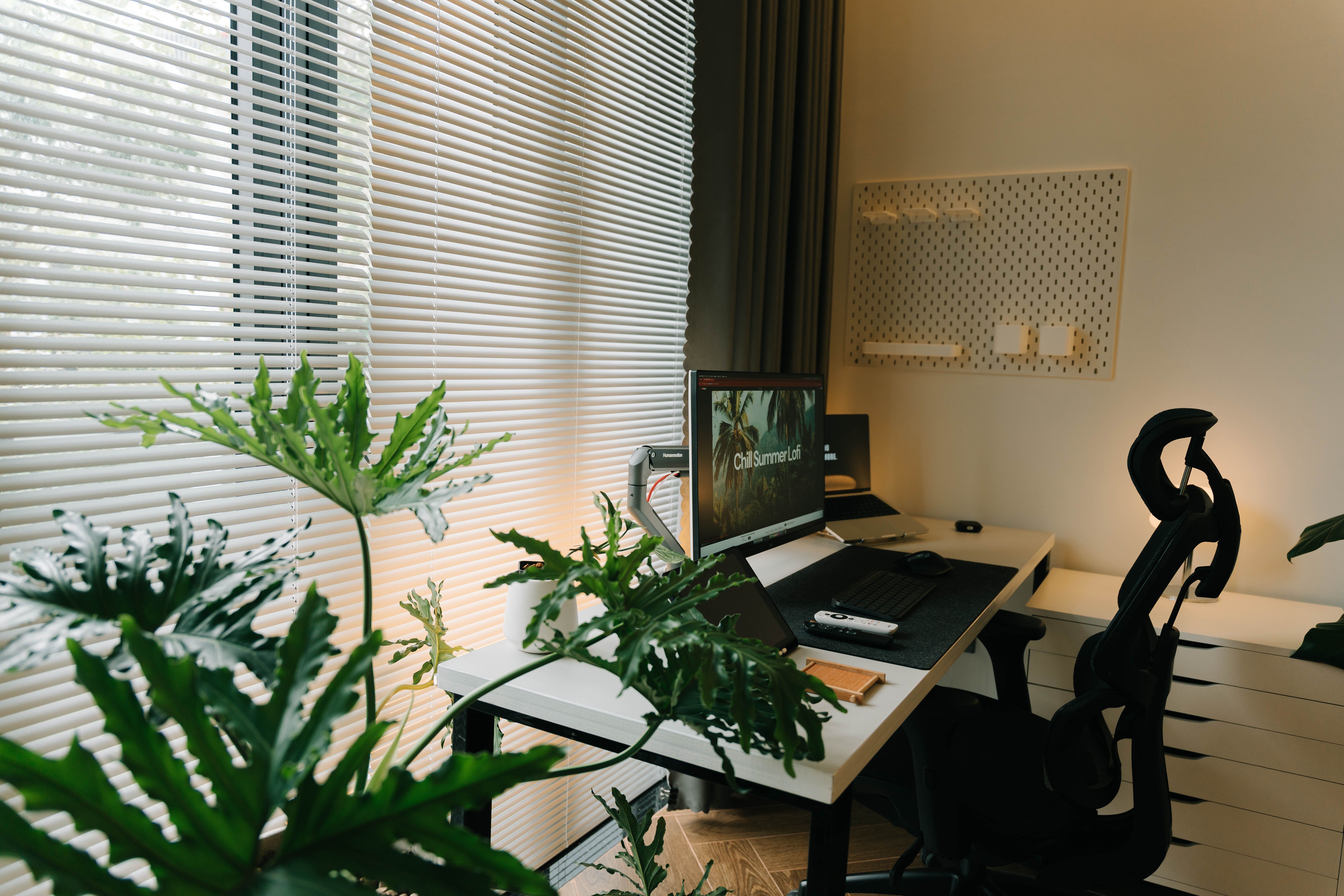
A: Choose one clean background, add a single intentional detail like a plant or framed print and remove anything visually noisy. Place your desk near daylight since a desk facing a window often improves how alert and approachable you appear on video. If light is harsh, soften it with a sheer curtain and angle your camera slightly.
Q: How do I manage distractions when conducting both in-person and virtual meetings from home?
A: Create a simple “do not disturb” signal for your household and silence nonessential notifications 10 minutes before start time. Reduce sound bleed by adding rugs, curtains, or a bookshelf, using solutions that add mass, without altering the structure if you rent. For virtual calls, close extra apps to prevent audio glitches and lag.
Q: What steps can I take to maintain a clear and calm workspace that helps me feel less overwhelmed?
A: Limit your desktop to your current task and one inbox for everything else, then schedule a short daily reset to empty it. Keep cables bundled and put frequently used tools in the same spot every time, so your brain stops tracking them. When you feel pressure rising, stand up, breathe and reset your posture before you re-engage.
Q: How should I prepare my home office electrical setup to avoid disruptions or costly repairs during important client visits or virtual calls?
A: Plug your core gear into a surge-protected setup, label cords and avoid daisy-chaining power strips. Test outlets you rely on, replace loose or warm-feeling plugs and keep chargers off the floor to prevent damage. If reliability is a major worry, review a practical checklist of interior electrical items that are typically covered and excluded under common home protection plans. Find more information here on what’s typically included.
Sustain a Client-Winning Home Office Through Small Weekly Upgrades
When work moves fast, it’s easy for a home office to slip from “client-ready” to merely functional, especially when small glitches and clutter stack up. The steady approach is simple: treat the space as part of your ongoing professional presentation and build habits for sustaining an impressive home office through continuous workspace improvement. The payoff is smoother client impression management, fewer distractions and the quiet confidence that the environment supports the message. A professional home office isn’t a one-time setup; it’s a practice.

